What Continuity Camerashould have been.
Record vertical and screen videos with your iPhone camera on Mac. Continuity Camera replacement that actually works. Edit and export in minutes.
The problem
You already own a great camera
Continuity Camera sucks
Locked to landscape. No manual controls. Disconnects randomly. Your iPhone camera is incredible but Apple's built-in solution wastes it.
iPhone storage is limited
Recording video eats your phone storage fast. Splonk streams directly to your Mac. Record for hours without worrying about space.
Webcams look terrible
Even a $300 Elgato Facecam can't match your iPhone's camera. Skip the dedicated webcam. Use the camera you already have.
What's inside
Everything you need to record & edit
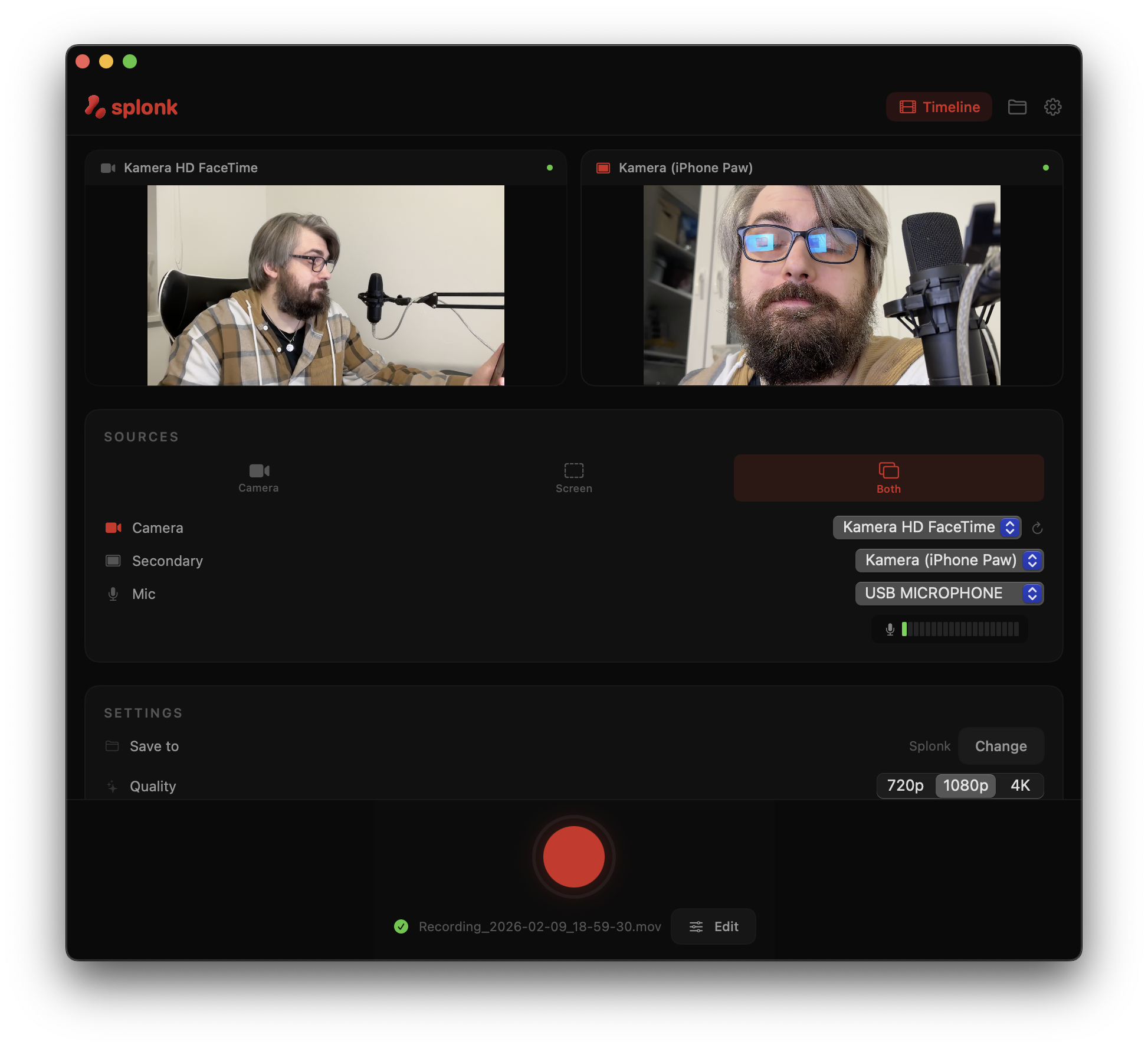
No more juggling multiple apps. Record your screen and camera simultaneously, then polish your video with built-in editing tools.
Dual Source Recording
Record your Mac screen and camera at the same time, perfectly synced in up to 4K quality.
- iPhone connected via USB — show your real app on a real device
- Any webcam, external camera, or capture card
- Mac screen capture with window or region selection
Auto-Switch Between Sources
While recording, easily switch between your screen and camera view. Splonk keeps everything in sync and creates a clean timeline.
- Hotkey switching during recording — no mouse needed
- Both sources recorded simultaneously for flexible editing
- Perfect audio sync between all sources
Timeline Editor
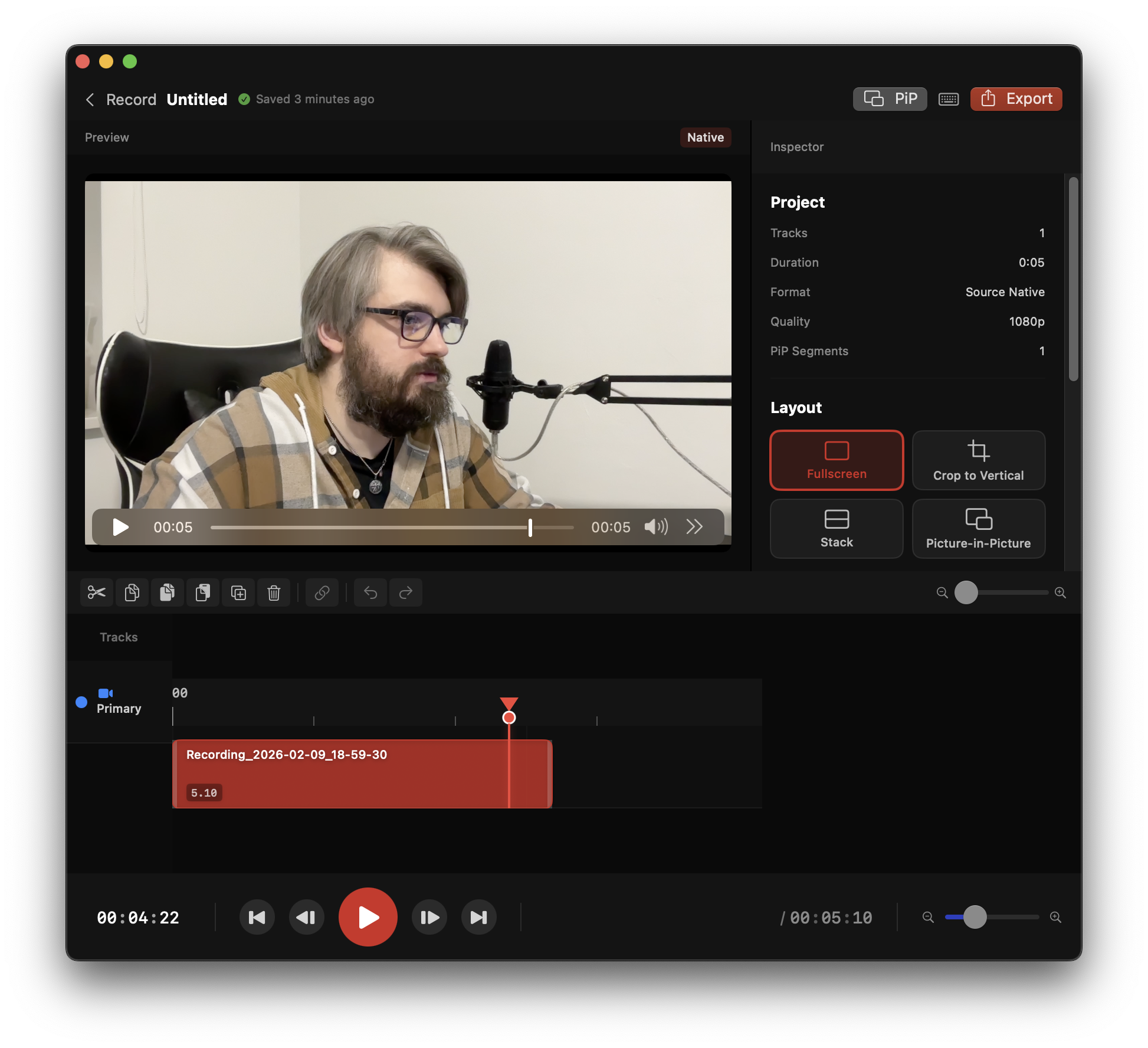
Need more control? Jump into the timeline editor to trim, split, and rearrange your clips with visual audio waveforms.
- J/K/L keyboard shortcuts for fast editing
- Visual audio waveforms for precise cuts
- Drag and drop to rearrange scenes
Plus everything else you need
Audio FX Chain
3-band EQ, compressor, high-pass filter. Podcast, Crisp Voice & Punchy presets.
13 Caption Styles
TikTok Bold, Karaoke, Neon Glow, Typewriter, Cinematic & more with 13 animations.
Smart Canvas
Export one recording to 11 platform formats at once.
Video Backgrounds
Gradients, mesh, animated, frosted glass, wallpapers.
7 Layout Transitions
Morph, card flip, cube rotation, depth push & more.
18+ Effects
Glitch, shake, zoom, blur, light leaks, grain & more.
Text Overlays
Styled text on video with custom fonts, colors, and positioning.
Cursor Visualization
Auto-highlight mouse clicks in screen recordings for tutorials.
Auto Zoom & Pan
Ken Burns effects generated automatically from your cursor activity.
Blur Regions
Privacy blur for sensitive content. Select area, blur it out.
Timeline Markers
Drop markers while editing to annotate key moments.
Export Anywhere
MOV, MP4 — up to 4K resolution.
The old way
splonk.
iPhone + Mac. One app. Done.
Three steps to done
Plug in
iPhone, webcam, USB cam — whatever you have.
Hit record
Screen + camera. Same time. Perfectly synced.
Splonk it
Auto-creates the video. Trim if you want. Post.
See it in action
Made with Splonk
iPhone camera + screen recording — one take, no editing needed.
Who splonks?
App makers
Real device. Real demo. Not a simulator.
Creators
Screen + face. Zero editing required.
Everyone else
Bug reports. Walkthroughs. Showing mom how apps work.
Included with Pro
Ditch the webcam. Use your iPhone.
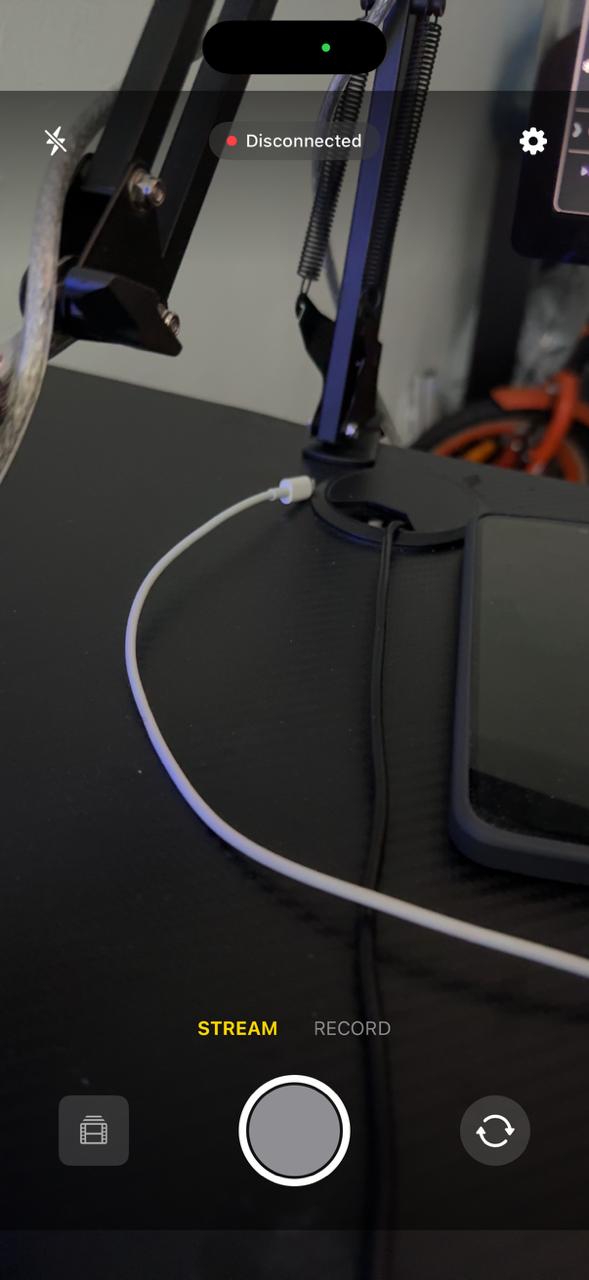
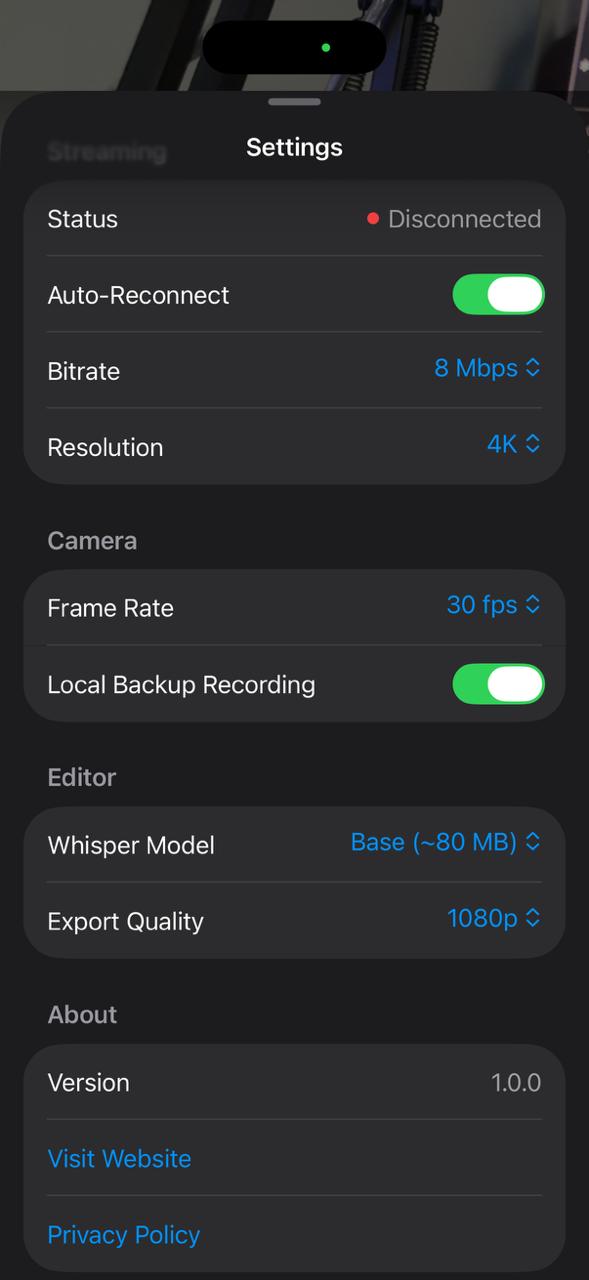
SplonkCam streams your iPhone camera wirelessly to your Mac. Better than any webcam. Saves to Mac, not your phone. No Continuity Camera limitations.
Saves to Mac, not your iPhone
Video streams directly to your Mac's drive over WiFi. No more "Storage Almost Full" after every recording session. Record for hours.
Full Camera Controls
Manual focus, exposure, white balance. Front or back camera. Portrait mode. Everything Continuity Camera can't do.
Standalone iOS Editor
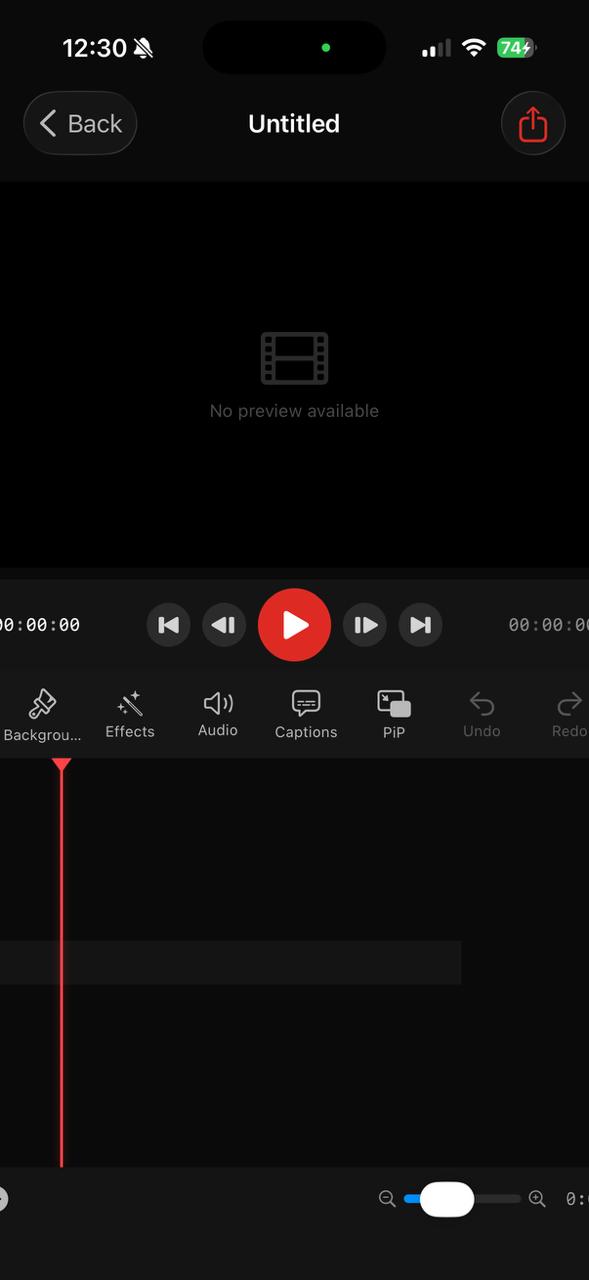
Full timeline editor on your iPhone. Import, trim, add effects, captions, and export. Edit anywhere, not just at your desk.
Multi-Camera Setup
Use multiple iPhones as wireless cameras. One for screen, one for face, one for overhead. All synced.
Recently shipped
Always improving
All included free in your first year. Future updates at no extra cost.
Audio FX Chain
NEW3-band parametric EQ, compressor with full controls, high-pass filter. Podcast, Crisp Voice & Punchy presets. Per-track overrides.
13 Caption Styles + Animations
NEWTikTok Bold, Karaoke, Neon Glow, Typewriter, Cinematic & more. 13 animation types including glitch, elastic, liquid morph, word reveal.
Text Overlays
NEWAdd styled text anywhere on your video. Custom fonts, colors, sizing, and positioning.
Cursor Visualization + Auto Zoom
NEWMouse clicks highlighted automatically. Ken Burns zoom effects generated from your cursor activity.
Smart Canvas
SHIPPEDExport one recording to 11 platform formats — YouTube, TikTok, Instagram, App Store & more.
18+ Effects & 7 Transitions
SHIPPEDGlitch, shake, zoom, blur, light leaks, grain. Morph, card flip, cube rotation, depth push & more.
Coming next
Smart Auto-Cut
PLANNEDDetect silence, filler words, and dead air. One click to clean up your recording.
Content Templates
PLANNEDApp Store previews, tutorial formats, social media templates ready to fill.
Launch Pricing
Own it forever
One-time purchase. Not a subscription. 1 year of free updates included.
$39.99
one-time purchase
- ✓Splonk for Mac + SplonkCam for iOS
- ✓Dual source recording up to 4K
- ✓Timeline editor with 18+ effects & 7 transitions
- ✓Audio FX: EQ, compressor, 3 presets
- ✓13 caption styles + 13 animations + text overlays
- ✓Smart Canvas — 11 export formats + cursor viz + auto zoom
- ✓1 year of free updates
Then $49.99 → $59.99 → $69.99 forever.
macOS 14+ · Apple Silicon & Intel · iOS 17+
Mac + iOS included at every tier · 1 year of free updates · $29.99/year after that · Keep using forever