
Your iPhone camerainside every Mac app.
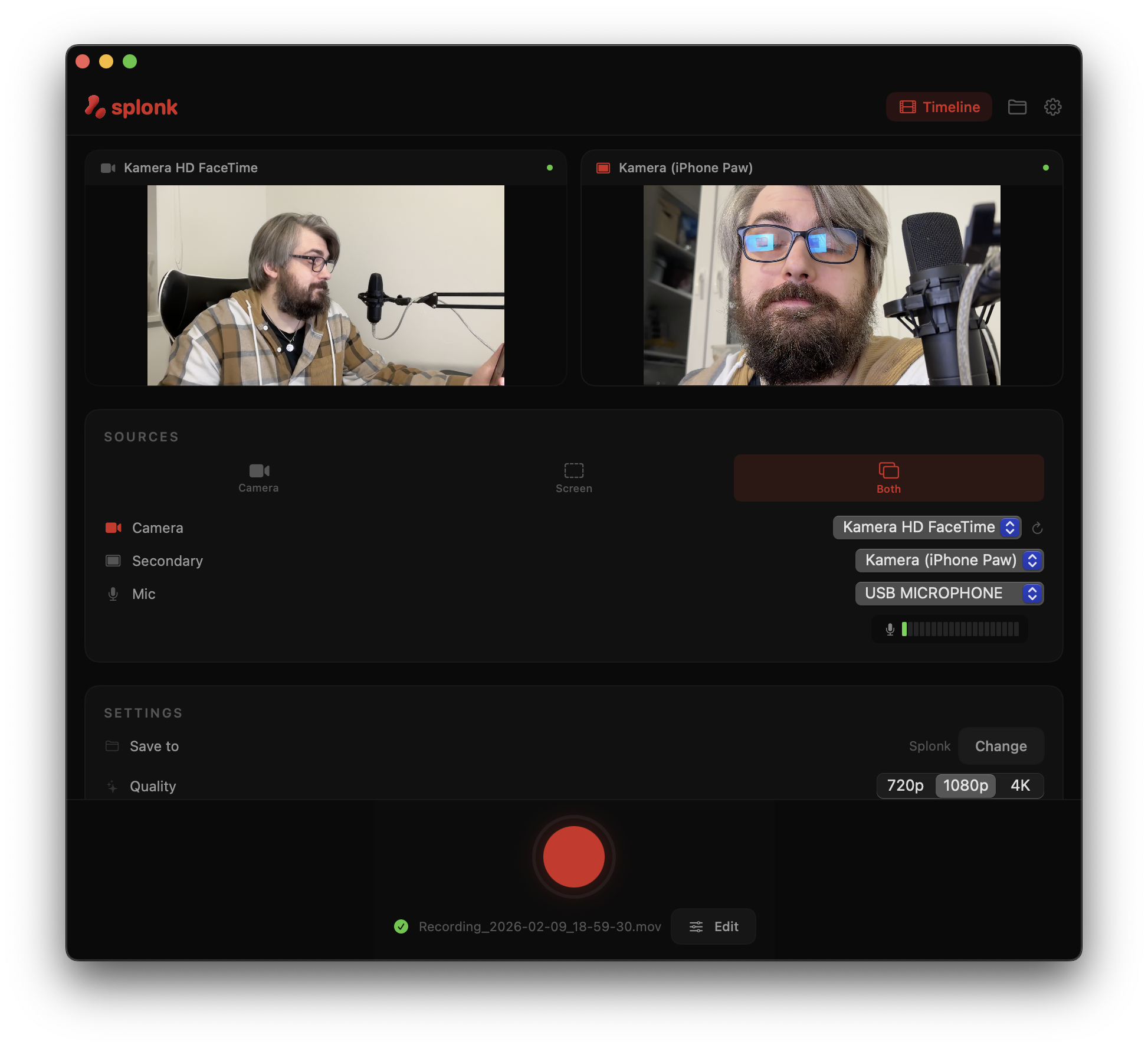
Use SplonkCam as a wireless Mac camera for meetings, recordings, and demos. Install the Mac virtual camera, stream from your iPhone, and record only when you need to.
Reviews
The workflow creators actually needed
Lorena
Needed iPhone recording controlled from a Mac, with files saved directly to the Mac.
“I'm glad you built a solution for a problem that many content creators seem to have. Finding a way to use the iPhone as a camera while controlling and recording everything from a Mac is surprisingly difficult.”
“What I really needed was a way to record with my iPhone camera while monitoring and controlling everything from my MacBook, with the recordings being saved directly to the Mac. Since I don't have much free storage space on my iPhone, that workflow is very important for me.
Now that everything is working, I'm excited to test it properly and see how it fits into my recording setup.”
The problem
You already own a great camera
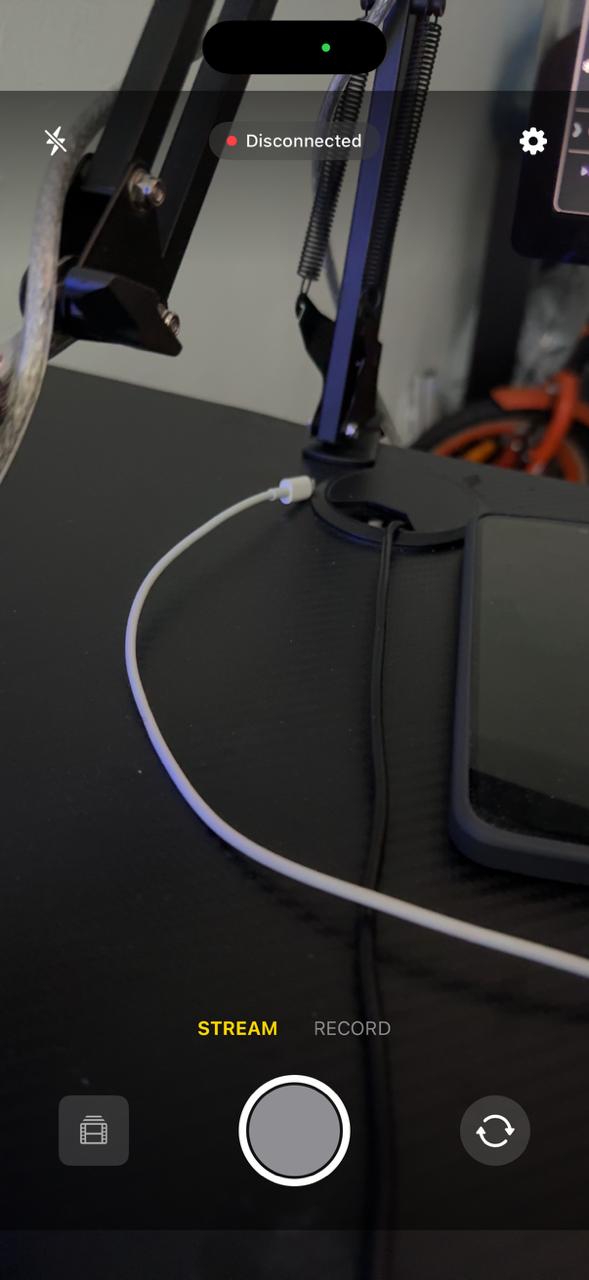
Continuity Camera is too limited
No reliable virtual camera flow. Limited controls. Awkward reconnects. Your iPhone camera is incredible, but Apple's built-in path gets in the way.
iPhone storage is limited
Recording video eats your phone storage fast. Splonk streams directly to your Mac. Record for hours without worrying about space.
Webcams look terrible
Even a good dedicated webcam struggles to match your iPhone. Use the camera you already have in meetings, browser calls, OBS, and recordings.
What's inside
Everything you need to stream & record
Use your iPhone as a camera in Mac apps, record screen and camera together, then make clean edits when the take needs polishing.
Mac Virtual Camera
Install Splonk's virtual camera and select SplonkCam in Zoom, Google Meet, OBS, Photo Booth, and other Mac apps.
- Wireless iPhone feed over your local network
- Front or rear camera with manual controls
- Works as a normal camera source across macOS apps
Record When It Matters
Use the same setup to record demos, walkthroughs, and calls. Splonk keeps camera, screen, and microphone sources aligned.
- Mac screen capture with window or region selection
- Camera + screen recording with synced audio
- Source switching while recording
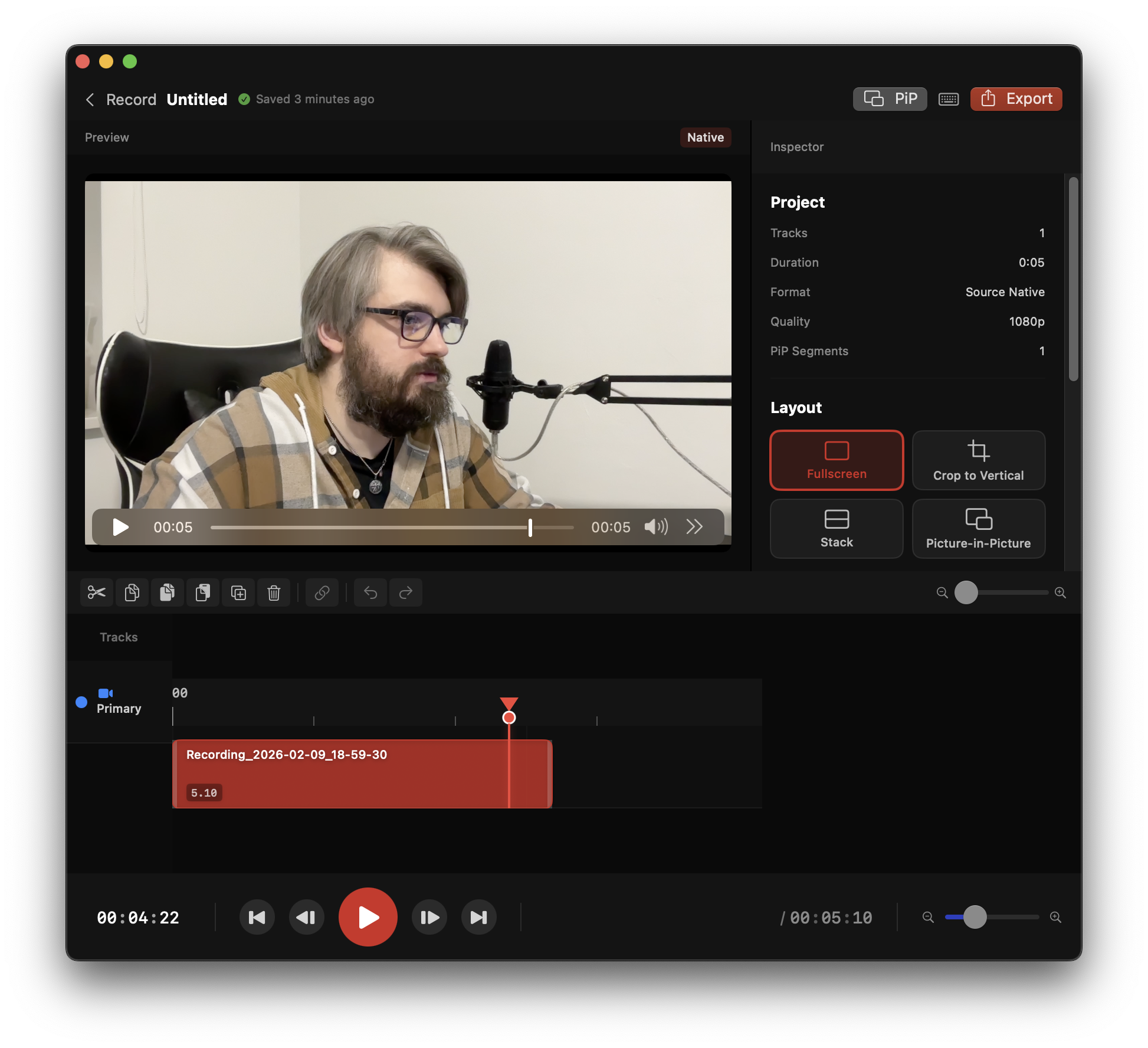
Lightweight Timeline Editor
Need more control? Trim, split, and export without turning Splonk into a heavyweight post-production suite.
- J/K/L keyboard shortcuts for fast editing
- Visual audio waveforms for precise cuts
- Drag and drop to rearrange scenes
Plus everything else you need
Virtual Camera
Show SplonkCam in Zoom, Meet, OBS, Photo Booth, and browser calls.
Camera Controls
Front/rear camera, exposure, focus, white balance, and orientation control.
Local Streaming
No cloud relay; your iPhone feed stays on your network.
Audio FX Chain
3-band EQ, compressor, high-pass filter. Podcast, Crisp Voice & Punchy presets.
Timeline Waveforms
See recorded mic audio directly in the timeline for cleaner cuts.
Smart Canvas
Export one recording to 11 platform formats at once.
Text Overlays
Styled text on video with custom fonts, colors, and positioning.
Cursor Visualization
Auto-highlight mouse clicks in screen recordings for tutorials.
Auto Zoom & Pan
Ken Burns effects generated automatically from your cursor activity.
Blur Regions
Privacy blur for sensitive content. Select area, blur it out.
Timeline Markers
Drop markers while editing to annotate key moments.
Export Anywhere
MOV, MP4 — up to 4K resolution.
The old way
splonk.
iPhone + Mac. One app. Done.
Three steps to done
Open SplonkCam
Start the iPhone app and stream to your Mac.
Pick the camera
Select SplonkCam in Meet, Zoom, OBS, or Splonk.
Stream or record
Use it live, or record camera, screen, and mic together.
See it in action
Made with Splonk
iPhone camera + Mac screen recording. Use it live, or record the take.
Who splonks?
App makers
Real device demos, screen capture, and App Store footage.
Creators
Camera plus screen without a separate capture stack.
Calls and demos
Use your iPhone in Meet, Zoom, OBS, and Photo Booth.
Virtual camera included
Ditch the webcam. Use your iPhone.
SplonkCam streams your iPhone camera wirelessly to your Mac. Use it as a virtual camera in other apps, or record directly in Splonk.
Mac Virtual Camera
Select SplonkCam as a camera source in Zoom, Google Meet, OBS, Photo Booth, and browser calls.
Full Camera Controls
Manual focus, exposure, white balance. Front or rear camera. Orientation control when your setup changes.
Saves to Mac, not your iPhone
When recording in Splonk, video streams directly to your Mac's drive over WiFi. Record long sessions without filling your phone.
Stream or Record
Use your iPhone live in another Mac app, or bring it into Splonk with screen and microphone sources.
Recently shipped
Always improving
Free, forever. Download Splonk and start recording.
Mac Virtual Camera
NEWUse SplonkCam as a normal camera source in Zoom, Google Meet, OBS, Photo Booth, and browser calls.
Audio FX Chain
NEW3-band parametric EQ, compressor with full controls, high-pass filter. Podcast, Crisp Voice & Punchy presets. Per-track overrides.
Audio Waveforms + Backup Sync
NEWRecorded microphone audio is visible in the timeline, and discarded takes can be removed from the iPhone backup set.
Cursor Visualization + Auto Zoom
NEWMouse clicks highlighted automatically. Ken Burns zoom effects generated from your cursor activity.
Smart Canvas
SHIPPEDExport one recording to 11 platform formats — YouTube, TikTok, Instagram, App Store & more.
18+ Effects & 7 Transitions
SHIPPEDGlitch, shake, zoom, blur, light leaks, grain. Morph, card flip, cube rotation, depth push & more.
Coming next
Virtual Camera Polish
PLANNEDMore app compatibility, smoother reconnects, and better orientation changes while streaming.
Recording Resilience
PLANNEDSmarter handling when wireless frames arrive late during longer recordings.
Pricing
Free forever
Download Splonk. No checkout, account, or license key is required.
Free
forever
- ✓Splonk for Mac + SplonkCam for iOS
- ✓Mac Virtual Camera for Zoom, Meet, OBS, and browser calls
- ✓Dual source recording up to 4K
- ✓Lightweight timeline editor for trims, waveforms, and exports
- ✓Audio FX: EQ, compressor, 3 presets
- ✓Text overlays and recorded audio waveforms
- ✓Smart Canvas — 11 export formats + cursor viz + auto zoom
- ✓Free updates included
macOS 14+ · Apple Silicon & Intel · iOS 17+
Mac + iOS included · No account or license key required